
In today’s digital economy, an online presence is mandatory for business success. Whether launching an ecommerce platform, publishing expert insights, or offering agency services, understanding how websites work is the ultimate key to mastering digital marketing, user experience design, and online brand authority.
Despite accessing web pages daily, many business owners remain uncertain about how web browsers, hosting servers, and domain systems communicate behind the scenes. This ultimate guide breaks down core definitions, underlying web architecture, technical code components, and key website classifications in simple terms.
Table of Contents
1. What Is a Website? Plain Definition
A website is a centralized collection of web pages, digital media, and software scripts hosted on a web server and accessible under a single domain name (such as domaintechhub.com).
To visualize how websites work, consider this physical real estate analogy:
- The Web Server: The rented land and physical building storing your digital assets.
- The Domain Name: The registered street address visitors type into their navigation system to find you.
- The Web Pages: Individual rooms inside your building dedicated to specific functions (such as Homepage, About Us, Services, or Contact Form).
Every page on a website contains structured text, hyperlinked elements, and multimedia assets designed to inform, convert, or engage online visitors.
2. Foundational Concepts: Domain, Hosting, and URLs
To master how websites work, you must distinguish between three core internet technologies that power every web platform:
Domain Name System (DNS)
Computers locate each other across the global internet using numerical IP addresses (such as 192.0.2.1). Because numbers are difficult for humans to memorize, the Domain Name System acts as the internet’s phonebook, translating numerical addresses into human-readable domain names like domaintechhub.com.
Web Hosting Infrastructure
Web hosting is a specialized remote storage service where a website’s files (HTML markup, CSS stylesheets, JavaScript files, images, and databases) reside on high-speed web servers connected to the web 24/7. Quality hosting directly impacts site load speed, security protocols, and uptime performance.
URL (Uniform Resource Locator)
A URL is the exact digital address pointing to a specific resource on the internet. For example, [https://domaintechhub.com/ecommerce-website-development/](https://domaintechhub.com/web-consultancy-services/) specifies the exact protocol (https), domain (domaintechhub.com), and file path to render this article.
3. Step-by-Step: How Websites Work Behind the Scenes
Understanding the browser-to-server request lifecycle demonstrates how web pages load on your device in milliseconds:
[User Types URL in Web Browser] ──► [DNS Server Resolves Domain to IP] ──► [Request Sent to Web Server]
👇
[Browser Compiles and Displays Page] ◄── [Server Processing & Code Transmission]
Here is the exact technical sequence executed during every page visit:
- DNS Lookup: When a user types your URL into a browser, the browser queries global DNS servers to retrieve the exact IP address of your web host.
- Server Handshake: The browser establishes a secure HTTP or HTTPS connection with the web hosting server holding the requested files.
- Data Transmission: The web server processes the incoming request and returns raw code files containing HTML markup, CSS styling, JavaScript logic, and compressed media.
- Browser Rendering: The browser compiles these files, builds the Document Object Model (DOM), and visually renders the interactive web page on screen.
4. Technical Building Blocks of Modern Web Architecture
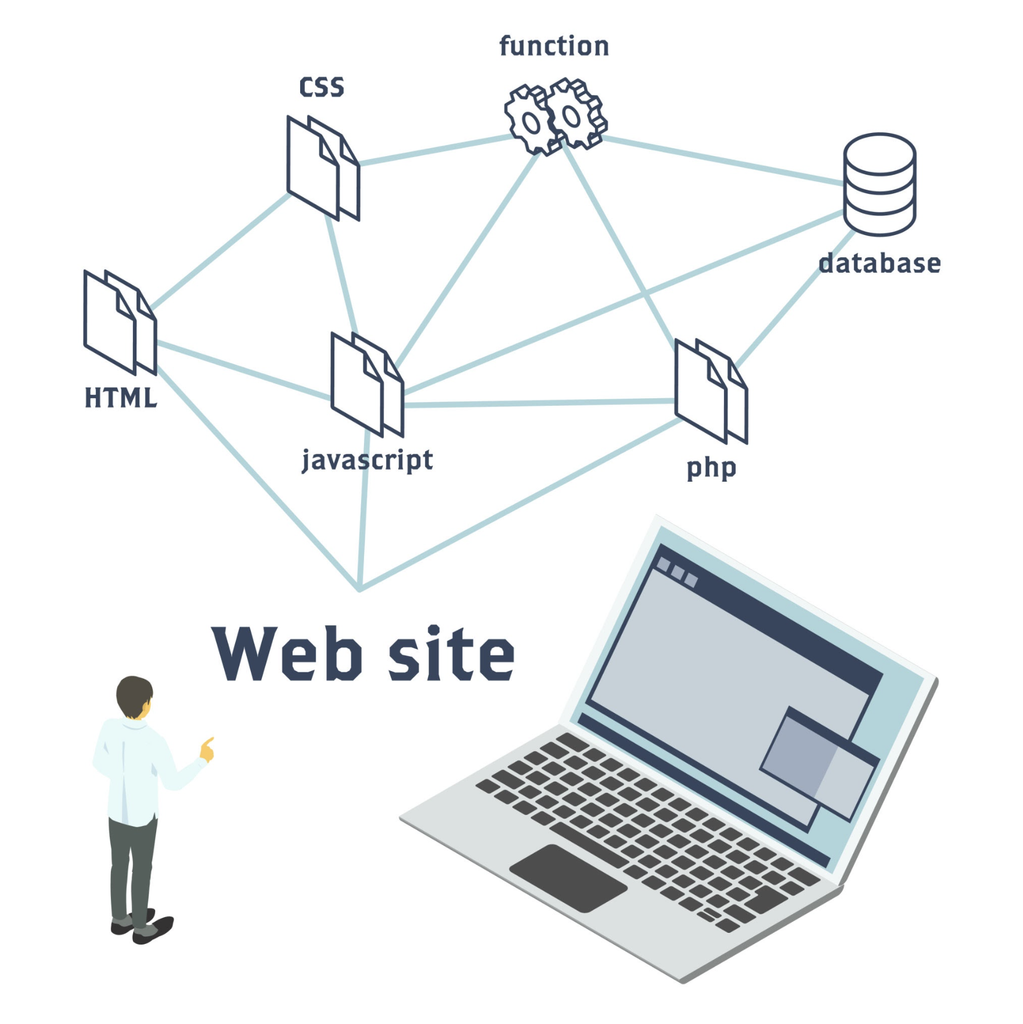
Modern digital platforms rely on frontend code for visual execution and backend protocols for data security and search engine performance.
FRONTEND CODE LAYERS
- HTML (HyperText Markup Language): The essential backbone establishing content structure, including headings, text paragraphs, bullet points, and media containers.👇
- CSS (Cascading Style Sheets): The visual styling framework controlling page layout grids, typography, brand colors, spacing, and responsive design.👇
- JavaScript: The dynamic programming language enabling interactive features like drop-down menus, popups, custom web applications, and real-time form validation.
👇
SECURITY & PERFORMANCE LAYERS
- SSL Certificate (HTTPS): Encrypts connection channels between browsers and servers. According to Google Search Central, SSL certificates act as confirmed Google ranking signals.👇
- Responsive Frameworks: Ensures web layouts dynamically adapt to fit smartphones, tablets, laptops, and desktop screens seamlessly.
5. Primary Types of Websites and Business Classifications
Websites are categorized according to their technical structure, business objectives, and audience functionality:
| Website Category | Core Business Purpose | Target Audience | Essential Functional Features |
| Ecommerce Store | Direct online sales & payment processing | Online shoppers & B2B buyers | Product catalogs, shopping carts, checkout gateways |
| Corporate / Business | Lead generation & brand authority | Prospective clients & partners | Service breakdowns, case studies, contact forms |
| Landing Pages | Targeted ad campaign conversions | Paid traffic & lead funnels | Single offer focus, high-converting CTAs, opt-in forms |
| Blogs & News Portals | Organic search growth & content delivery | Searchers & subscribers | Content categories, search bars, social sharing |
| Web Applications | Dynamic user interaction & software access | Registered platform users | Interactive dashboards, user accounts, API access |
If you are planning to build or upgrade your digital platform, reviewing professional web development services ensures your platform matches your business goals.
6. Simple Steps to Build a High-Converting Website
To rank on Google search results and convert visitors into paying customers, follow these 7 simple steps when launching your platform:
- Define Your Target Objective: Establish clear conversion targets, such as lead capture, ecommerce sales, or brand awareness.
- Register a Memorable Domain Name: Choose a short, brandable
.comdomain name that reflects your business entity. - Select Reliable Web Hosting: Partner with a web host offering 99.9% uptime, fast server response times, and automated backups.
- Choose the Right CMS or Framework: Build using a Content Management System like WordPress or Shopify, or opt for custom custom-coded architectures for maximum speed and security.
- Design for Mobile-First Usability: Ensure your visual interface adapts seamlessly across all mobile screen sizes to comply with Google’s mobile-first indexing.
- Implement Technical SEO Best Practices: Structure content with a single H1 tag, logical H2/H3 subheadings, fast loading speeds, optimized image alt tags, and descriptive meta descriptions. Explore dedicated search engine optimization strategies to accelerate organic rankings.
- Publish and Submit Sitemaps: Launch your platform and submit your XML sitemap directly to Google Search Console to speed up crawling and indexing.
7. Frequently Asked Questions (FAQs)
What is the main difference between a web page and a website?
A website is a complete collection of interconnected web pages hosted under a single domain name (similar to an entire book). A web page is an individual document located within that website (similar to a single page inside that book).
Do I need coding skills to understand how websites work?
No. Modern Content Management Systems (CMS) and visual builders allow you to launch web pages without writing code. However, understanding basic web architecture helps you optimize site speed, user experience, and search engine visibility.
How long does it take for Google to index a new website?
Google indexing typically takes anywhere from a few hours to a couple of weeks. Submitting a structured XML sitemap through Google Search Console and acquiring quality backlink signals speeds up search engine discovery significantly.
Final Thoughts on How Websites Work
Understanding how websites work gives business owners a distinct competitive advantage. By aligning fast web hosting, clear frontend code, mobile responsiveness, and strategic on-page SEO, you can build a digital platform that ranks high on search engines and generates consistent leads.
Ready to launch or redesign your business site? Partner with the experts at Domain Tech Hub to build a high-performance web platform tailored to your growth goals.